Sift (SaaS)
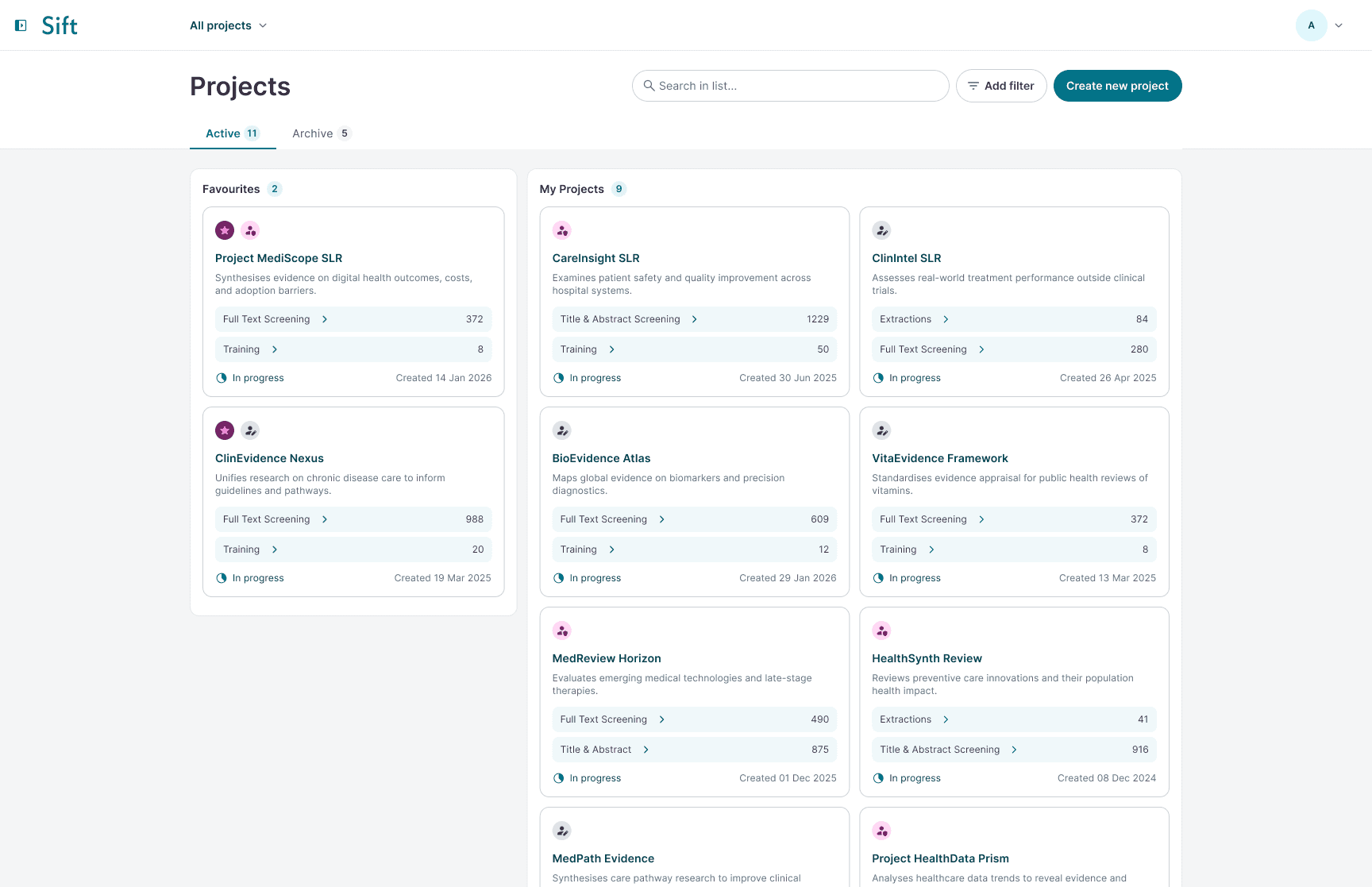
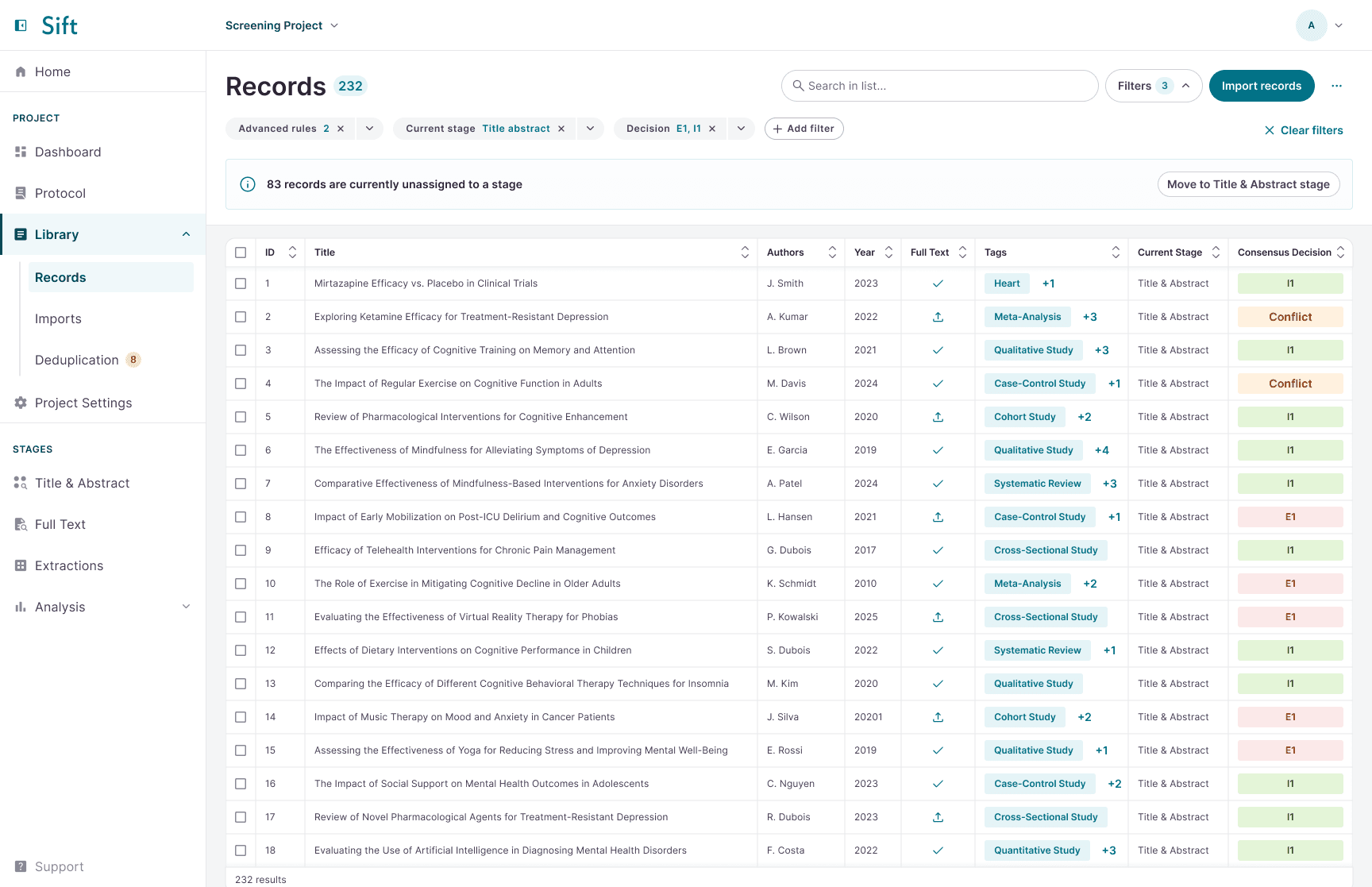
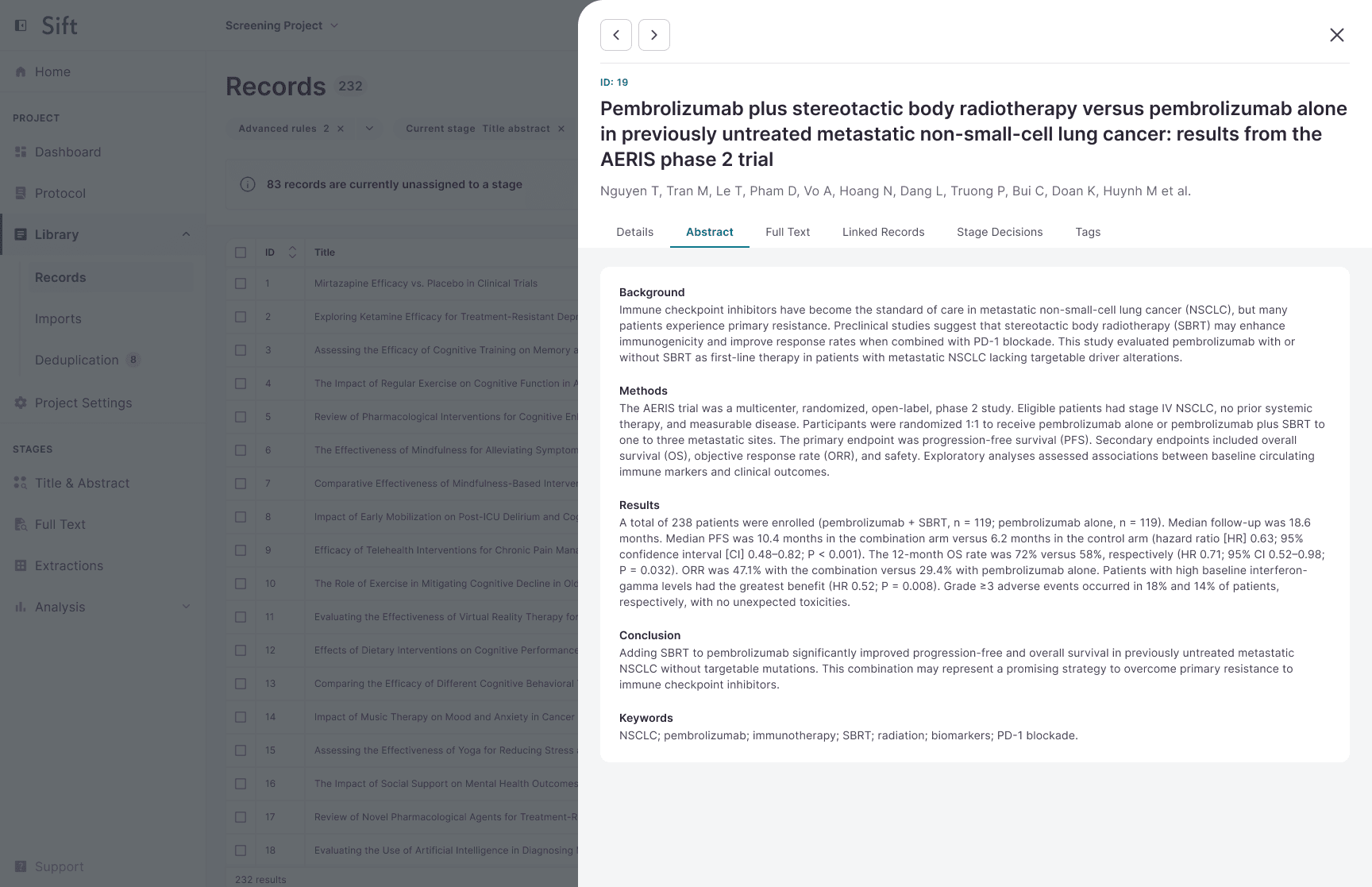
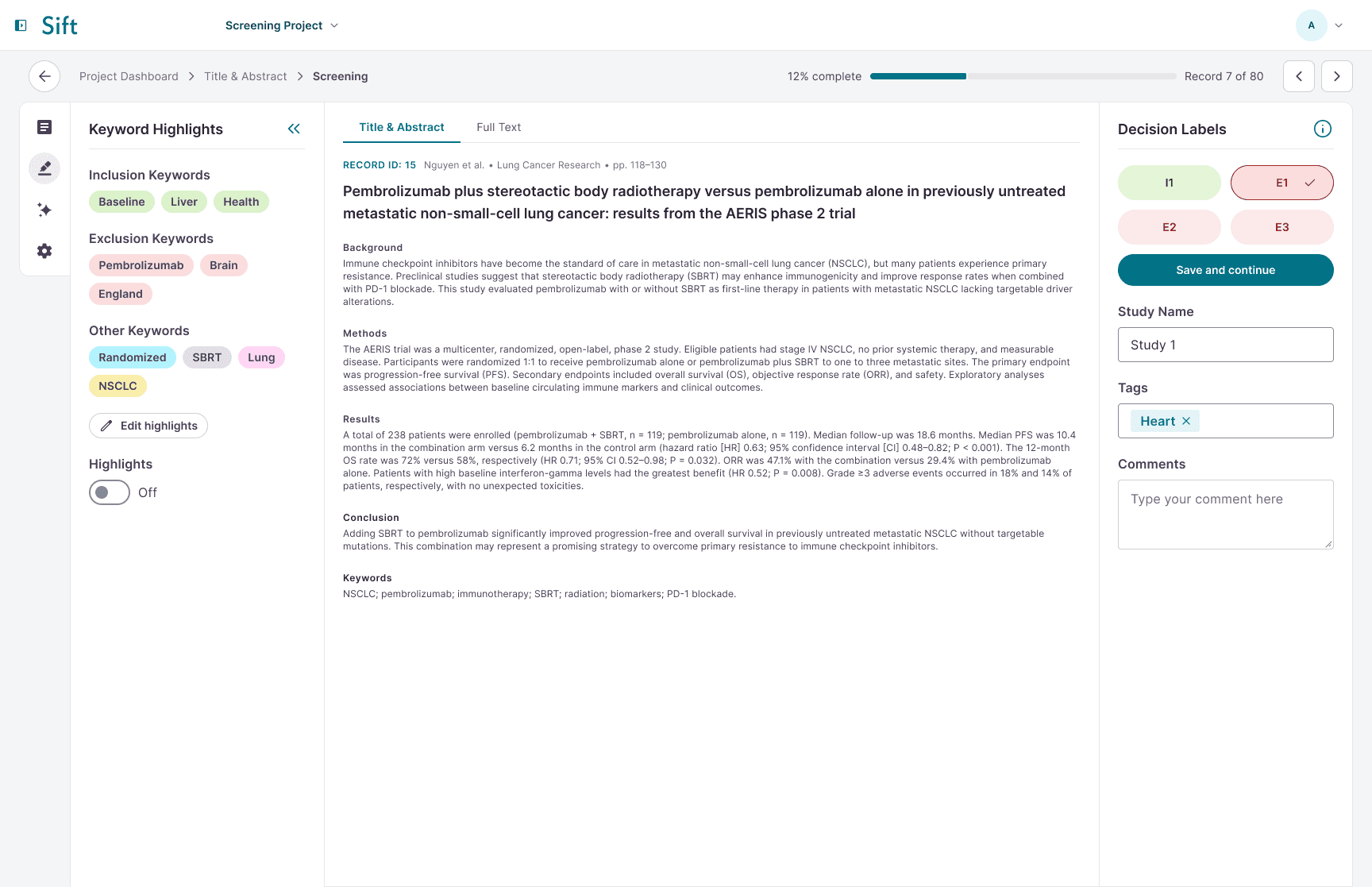
Sift is the company's first commercial product – a SaaS app used to carry out end-to-end systematic literature reviews. I defined the visual identity, conducted user tests, and worked closely with engineers, a product manager and other stakeholders to build a design system and deliver the app.
Year
2025/2026
Role
UX Designer
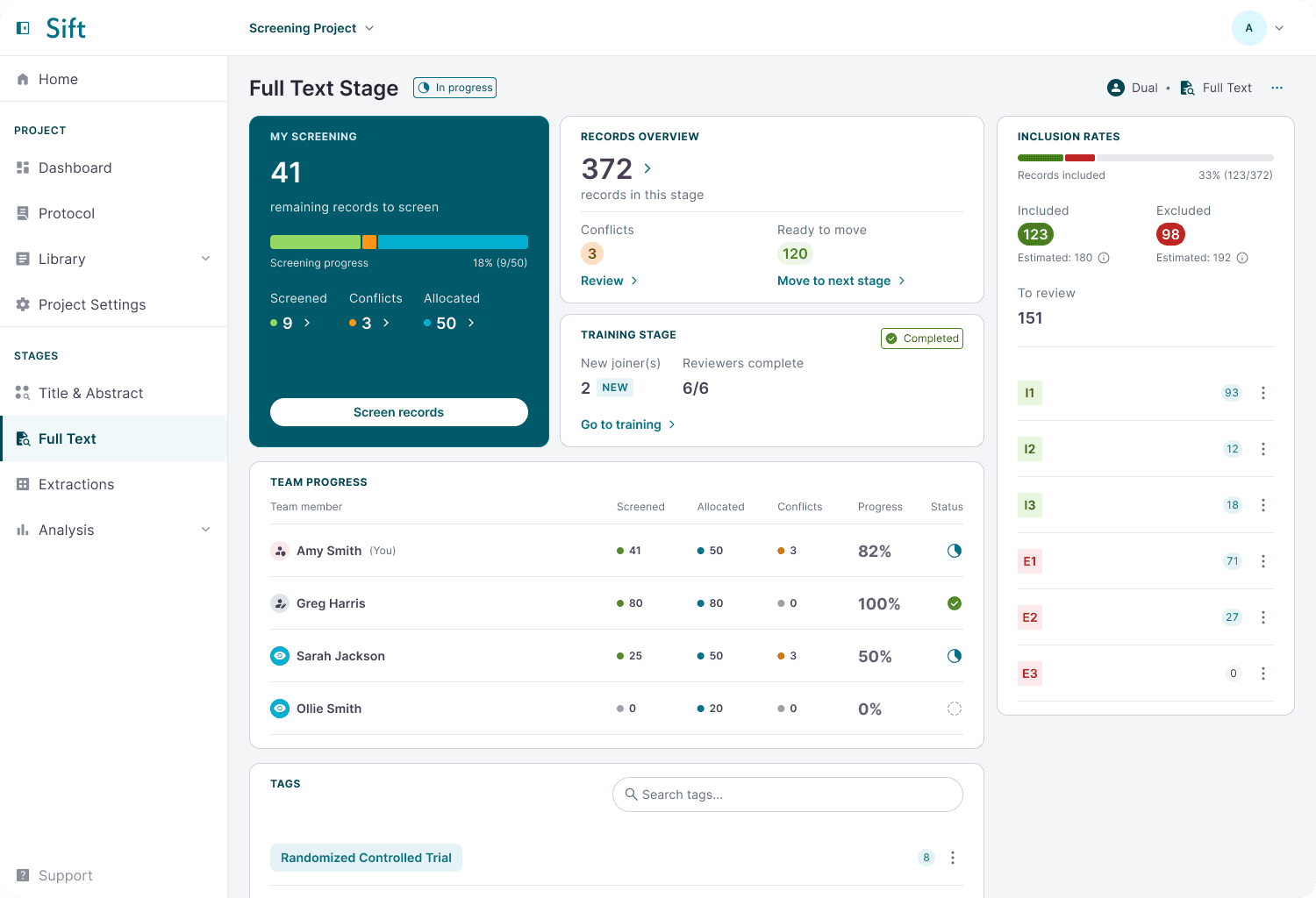
WHAT IS SIFT?
Sift is an analysis tool designed to help users carry out complete, end-to-end systematic literature reviews (SLRs).
Researchers search databases like PubMed to identify relevant records. The data is downloaded, screened and evaluated for quality and relevance – this is where Sift comes in.
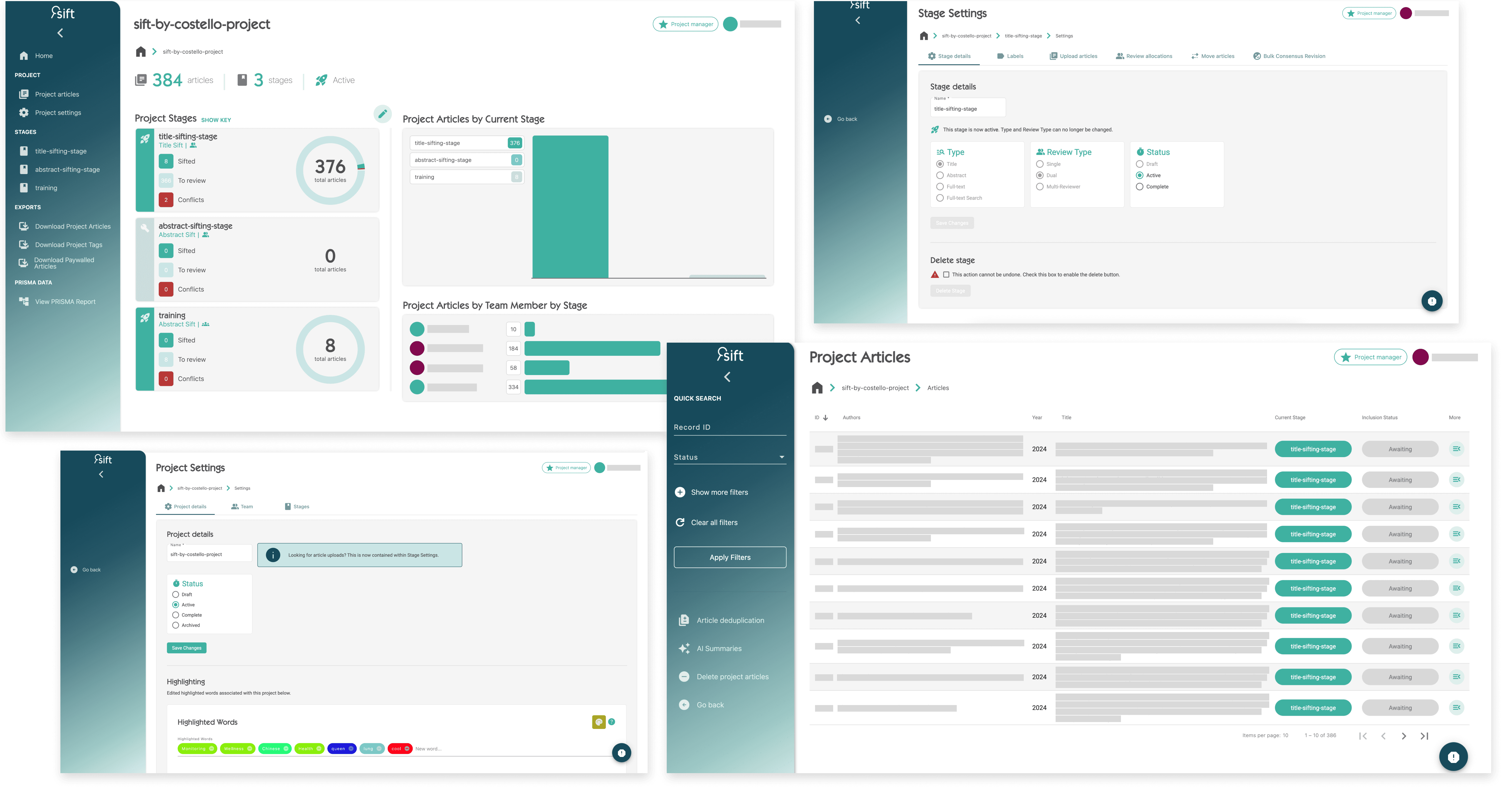
WHAT IS THE PROBLEM?
The old app was limited in what it could offer and many of its features had been added reactively over time rather than intentionally designed as part of a cohesive system. What began as quick solutions eventually formed a fragmented product.
This created a patchwork experience for users – workflows felt clunky, navigation wasn't intuitive, and simple tasks took longer than they should due to inconsistent patterns. The app needed a thoughtful, end-to-end redesign.
1 | Poor UX
Clunky workflows and inconsistent navigation have created unnecessary friction for teams.
2 | Business goals
The current app doesn’t reflect Costello’s quality or capabilities.
3 | Limited functionality
Supports only part of the SLR process, not the full end-to-end workflow.
DESIGN
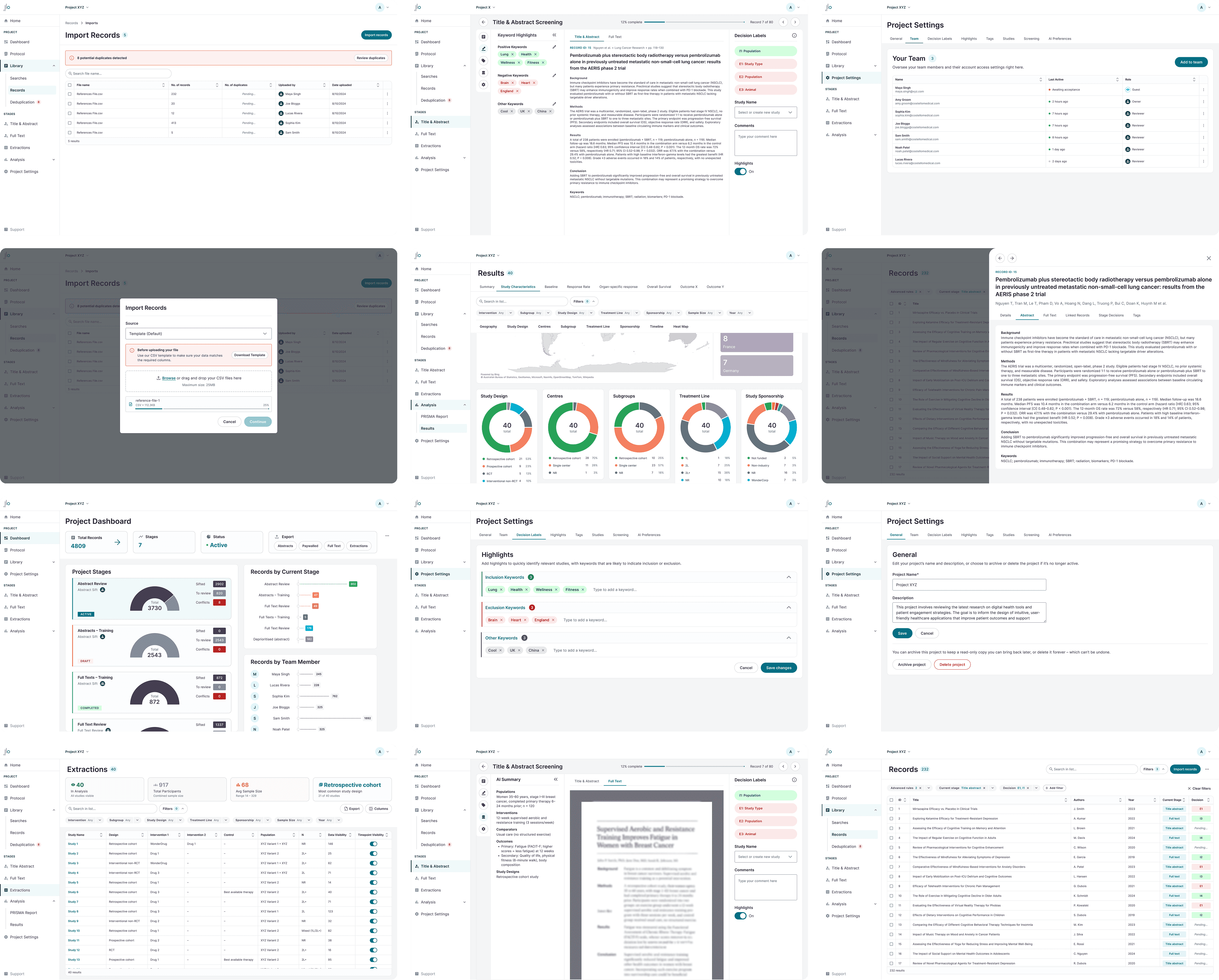
User Flows & Interface Design
My main role on the project was to define the visual identity and user experience of the app. I mapped out user flows and designed the initial wireframes before testing them with users.

USER TESTING
Usability Testing
I worked closely with the development team to build a MVP to validate the initial wireframes. Using this, I lead a testing phase where I gave the app to users for the first time.
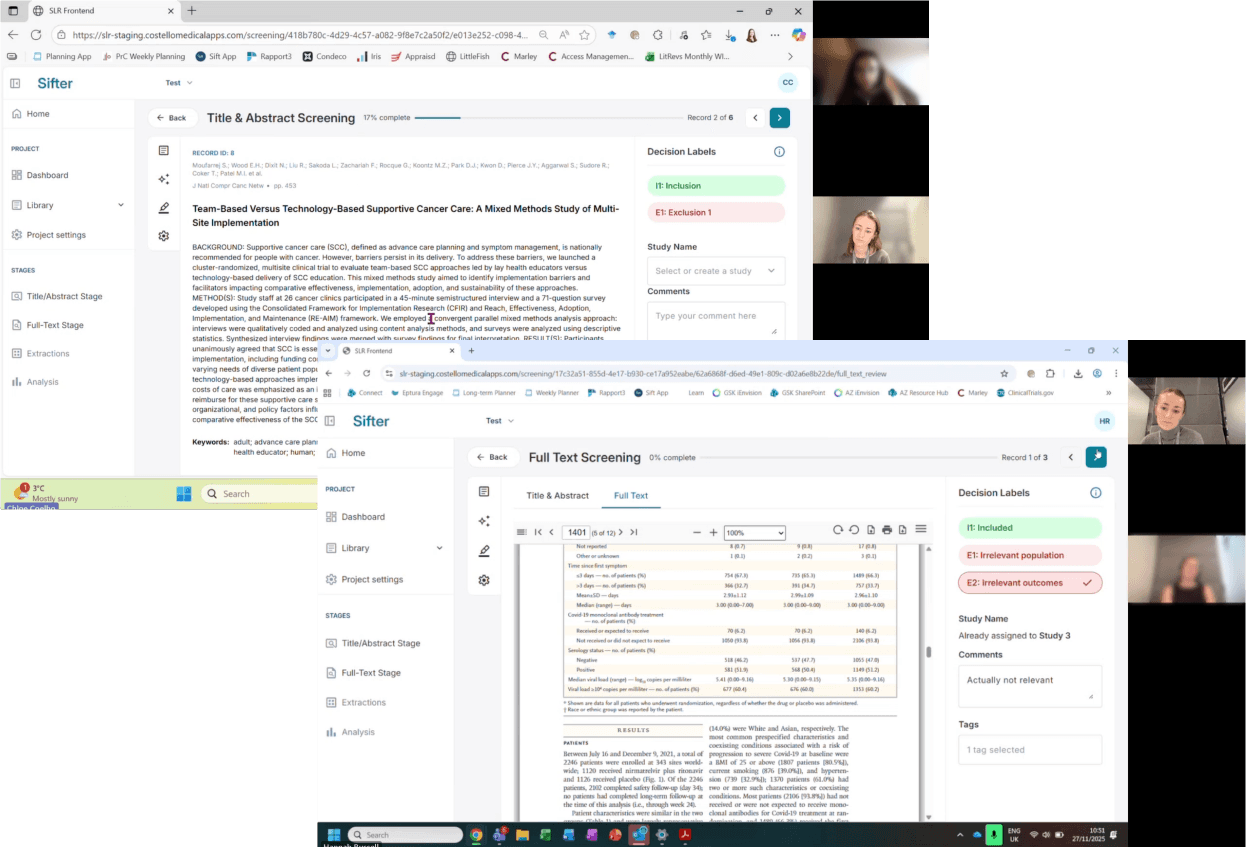
Moderated tests
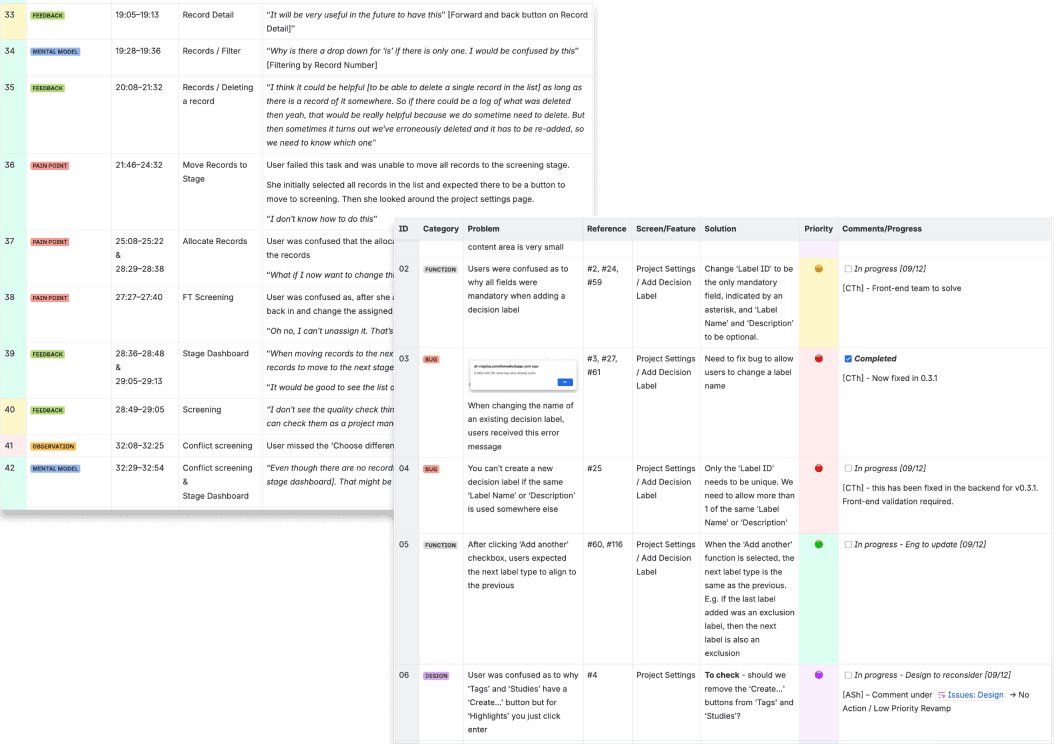
I conducted tests with 6 users where I asked them to complete management and reviewer tasks on the first version of the app, whilst I observed and took notes. I tracked user behaviour, feedback and pain points in a spreadsheet.
Result analysis
By synthesising the data, I identified recurring themes supported by direct user quotes and behavioural insights during the test. I translated these into a list of bugs and design issues, and a proposed actionable solution for each, collaborating with stakeholders to rank the list in order of priority.
The findings were added to Jira to iterate the design, working closely with our development team to handover updated designs and ensure seamless implementation.
DESIGN SYSTEM
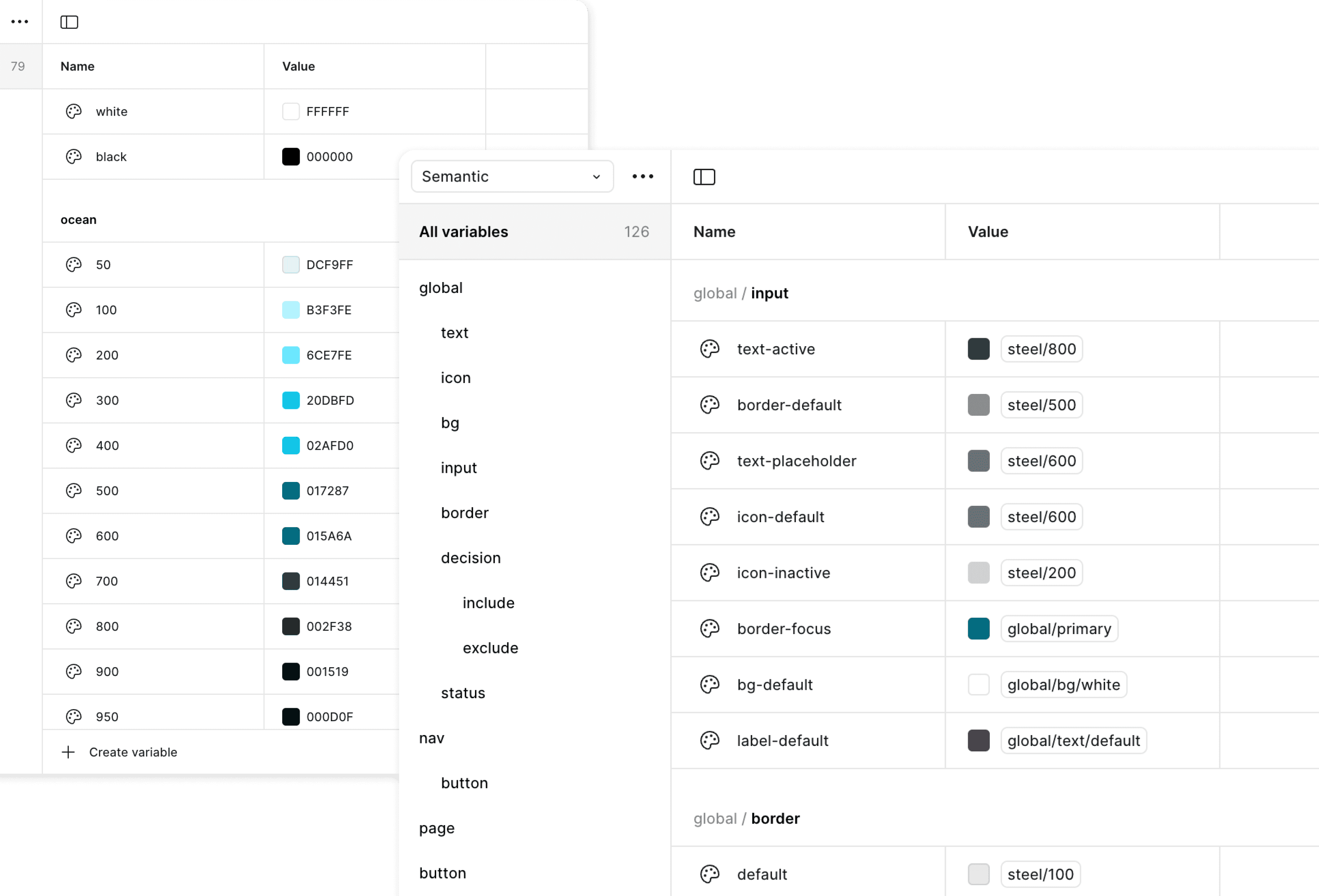
Using the company's brand guidelines and the Material3 design kit as a starting point, I worked with another designer to build a complete design system for the app alongside designing.
Tokens
We selected colours and typography, and applied token values across the design. This streamlines the build process, and lays the groundwork for easier maintenance and future scalability.
Components
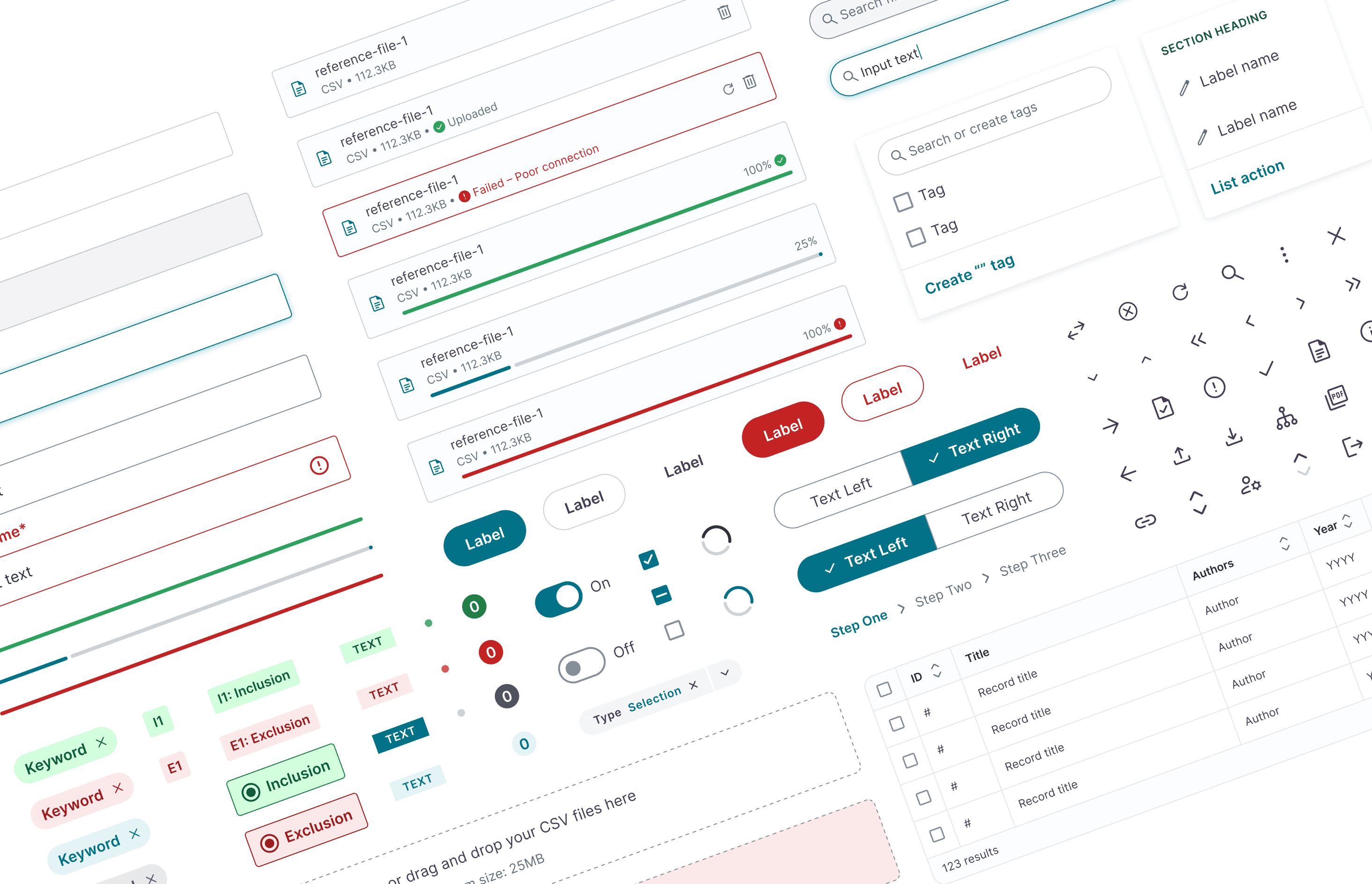
Creating reusable components was essential to designing the app efficiently and accurately, ensuring a consistent visual language across every page.
FINAL EXPERIENCE