Clarata
Clarata is the company's first commercial product – a B2B SaaS app used to carry out end-to-end systematic literature reviews. I was one of the core members of the product team, defining the visual identity, solving technical problems, testing with users and eventually delivering the app which was launched in October 2026.
Year
2025/2026
Role
Visual Design Research User Testing Systems Design
WHAT IS CLARATA?
Clarata is an analysis tool designed to carry out complete, end-to-end systematic literature reviews (SLRs).
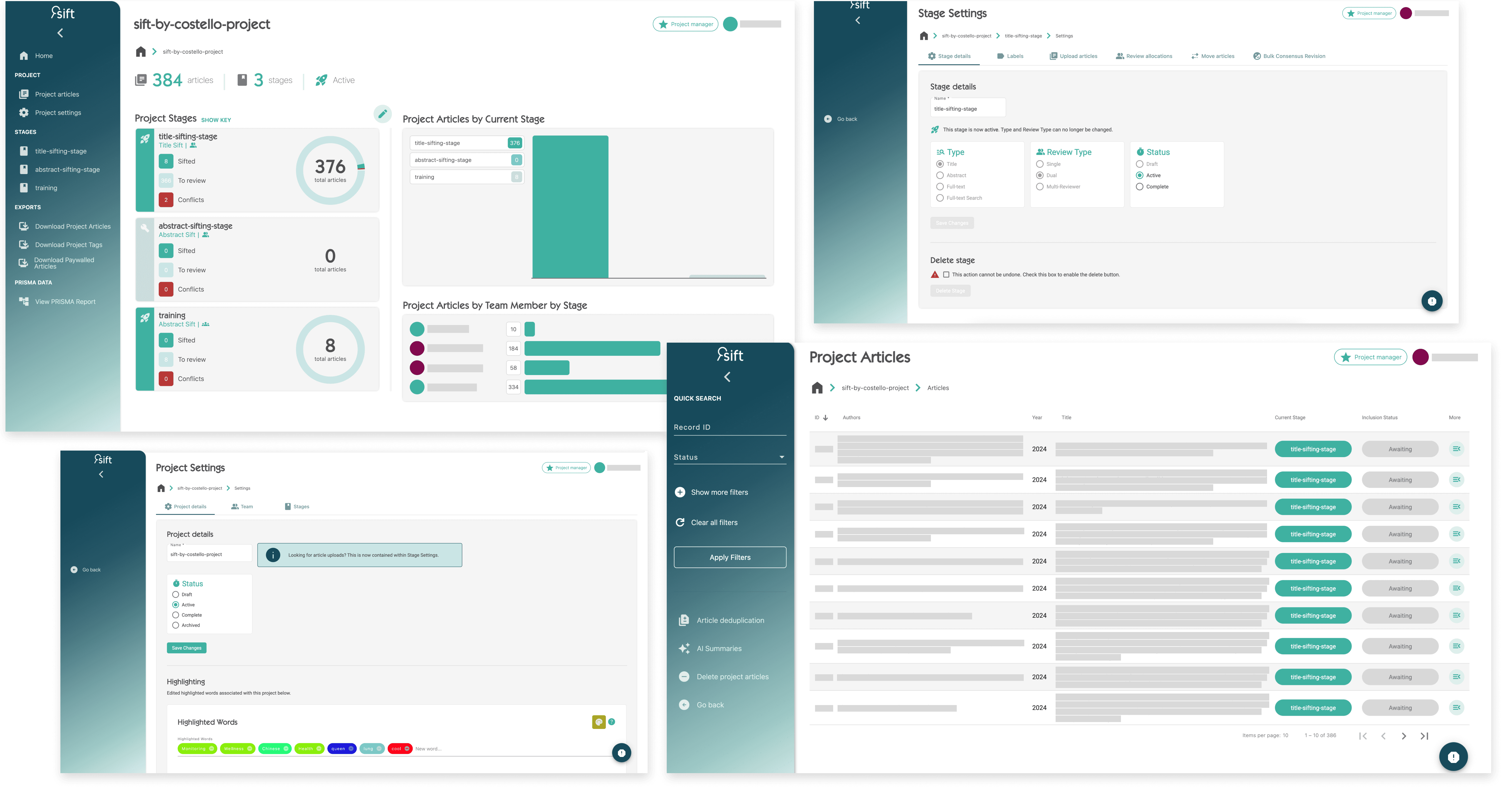
The existing app was limited by features added reactively over time, creating a fragmented product.
This created a patchwork experience for users – workflows felt clunky, navigation wasn't intuitive, and simple tasks took longer than they should due to inconsistent patterns.
1 | Poor UX
Inconsistent navigation has created unnecessary friction for teams.
2 | Business goals
Current app doesn’t reflect the brand's quality or capabilities.
3 | Limited functionality
Supports only part of the SLR process, not the full end-to-end workflow.
DESIGN
Defining the experience
Driving the visual identity and user experience was core to my role on the project. Mapping out user flows and working through edge cases led to the initial wireframes before I tested them with users.

USER TESTING
Testing with real end users
I worked closely with the development team to build a MVP to validate the initial wireframes.
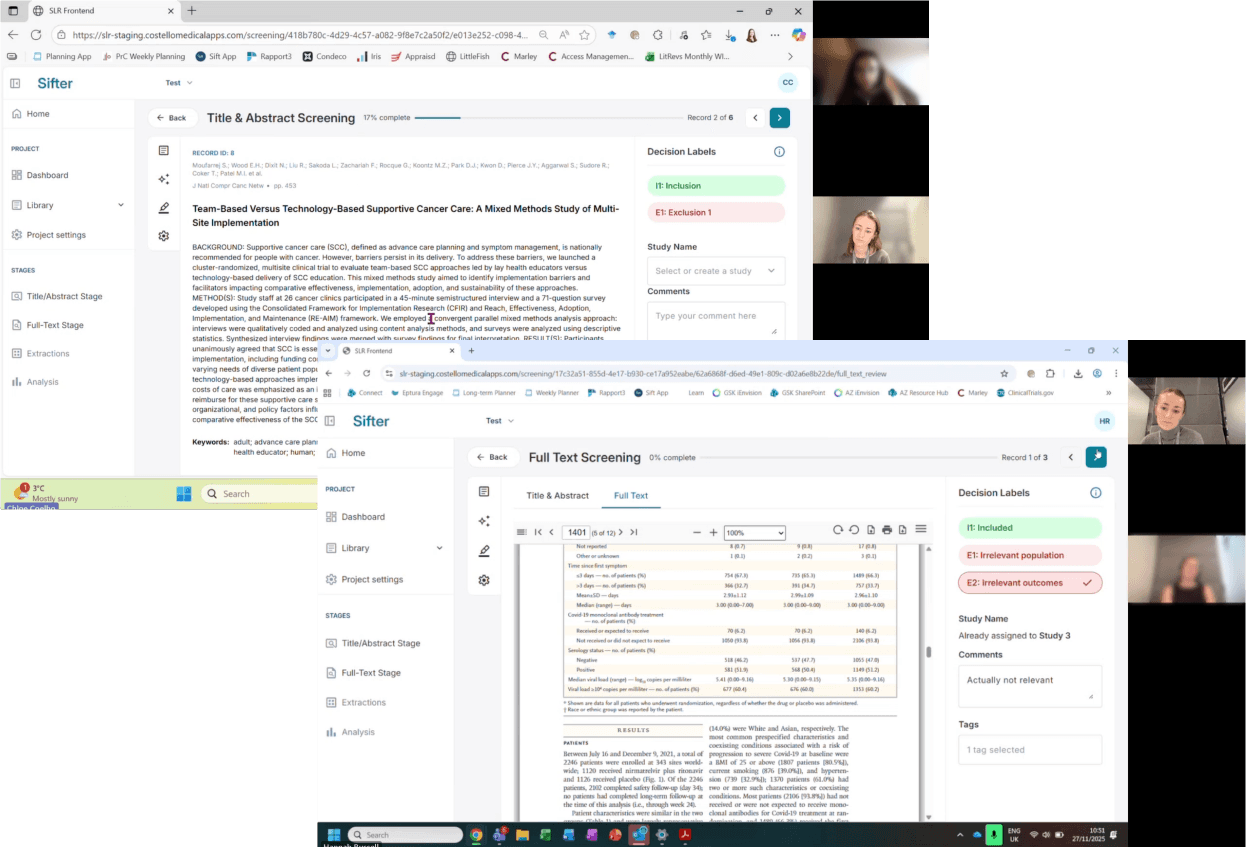
Moderated tests
Using the first version of the app, I led a testing phase with 6 users where they completed management and reviewer tasks whilst I observed and took notes. I tracked user behaviour, feedback and pain points in a spreadsheet.
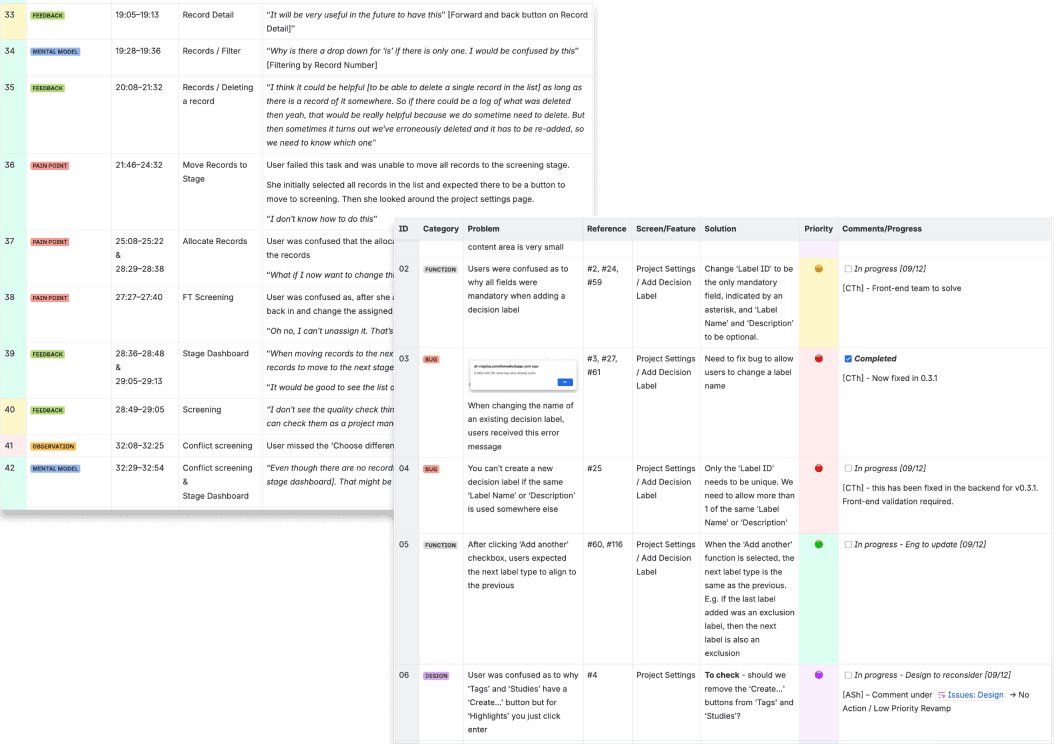
Result analysis
I identified recurring themes supported by direct user quotes and behavioural insights, which I translated into a list of bugs and design issues. I proposed actionable solutions, collaborating with stakeholders to rank the list in order of priority.
The work items were added to Jira to iterate the design, working with our engineering team to ensure seamless implementation.
ITERATION
Applying learnings to the new interface
Below is a selection of some of the key screens, showing how the UI evolved after the user tests.

1
Project dashboard
From the project dashboard, project owners check overall progress. The page needed to prioritise the data that actually matters at a glance.
Users informed me exporting was rarely used, and team/stage record numbers aren't useful at an overall project level. I relocated both, replacing them with active stage progress and inclusion rates, so owners can check estimates against the budget.

2
Stage dashboard
The stage dashboard serves two user types: project owners need to allocate records and see team/stage numbers, while reviewers need to see their allocations and individual screening progress.
Testing showed that tracking individual progress and allocations was the most important information at a stage level, so I designed a primary card to surface this first, with recognisable coloured indicators showing progress and flagging where attention is needed.


3
Records library
The library lists every record in the project and its technical detail - tags, current stage and decision labels. With so much information per row, the challenge was density: showing enough to be useful without overwhelming the list view.
I designed recognisable label indicators to surface key status at a glance, and a detail panel that displays record information in more depth.


4
Screening view
The screening page is central to the app - it's where users decide to include or exclude a record while reading it.
Users told me they felt limited by the single highlight colour in the old app. I designed 6 colours so users could group highlights by framework criteria, each designed to meet accessibility standards for text contrast against the background.
DESIGN SYSTEM
Building a scalable system
Using the company's brand guidelines and the Material3 design kit as a starting point, I built an initial design system for the app in Figma.
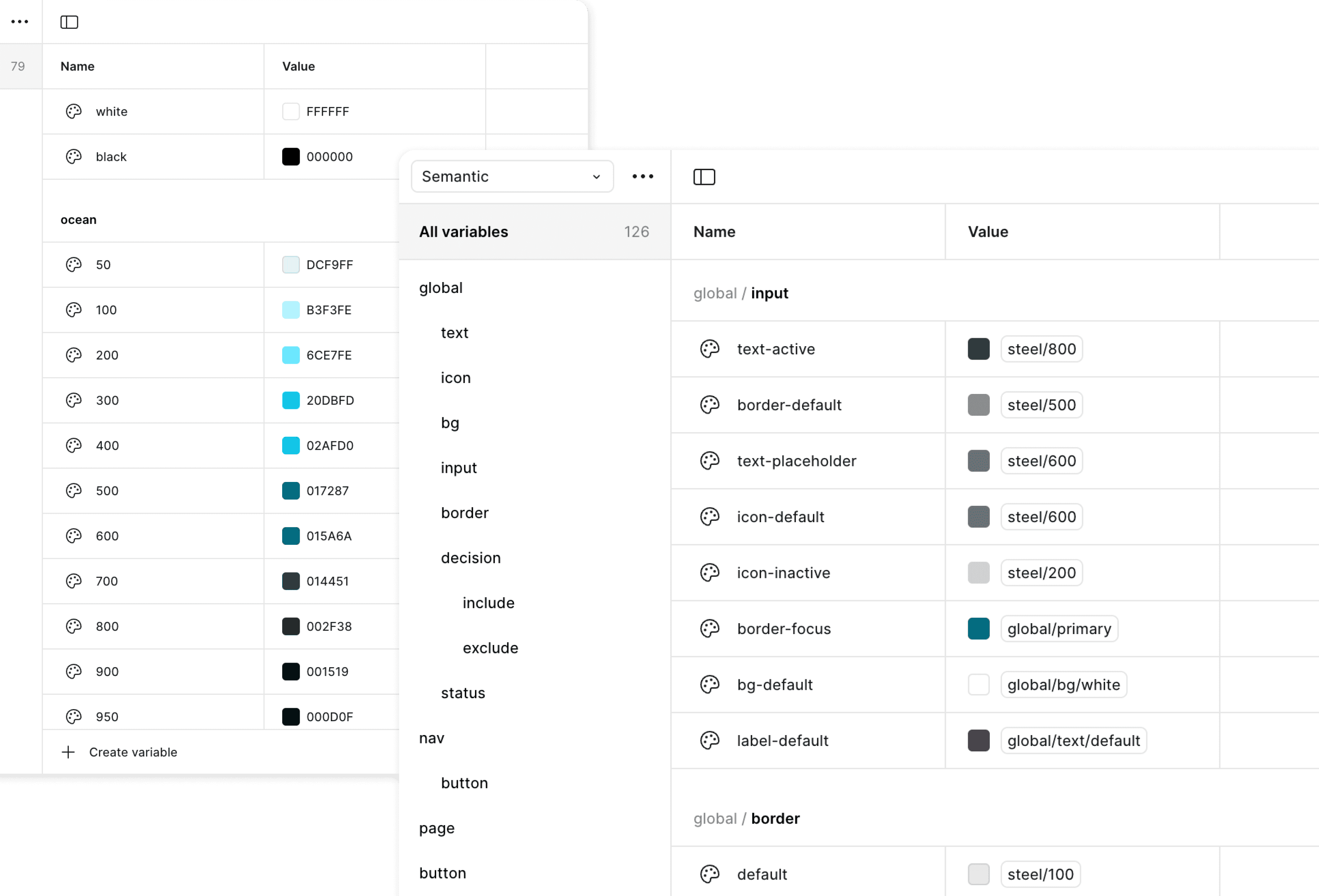
Tokens
Colours and typography were defined, then token values were applied to streamline the build process, and lay the groundwork for future scalability.
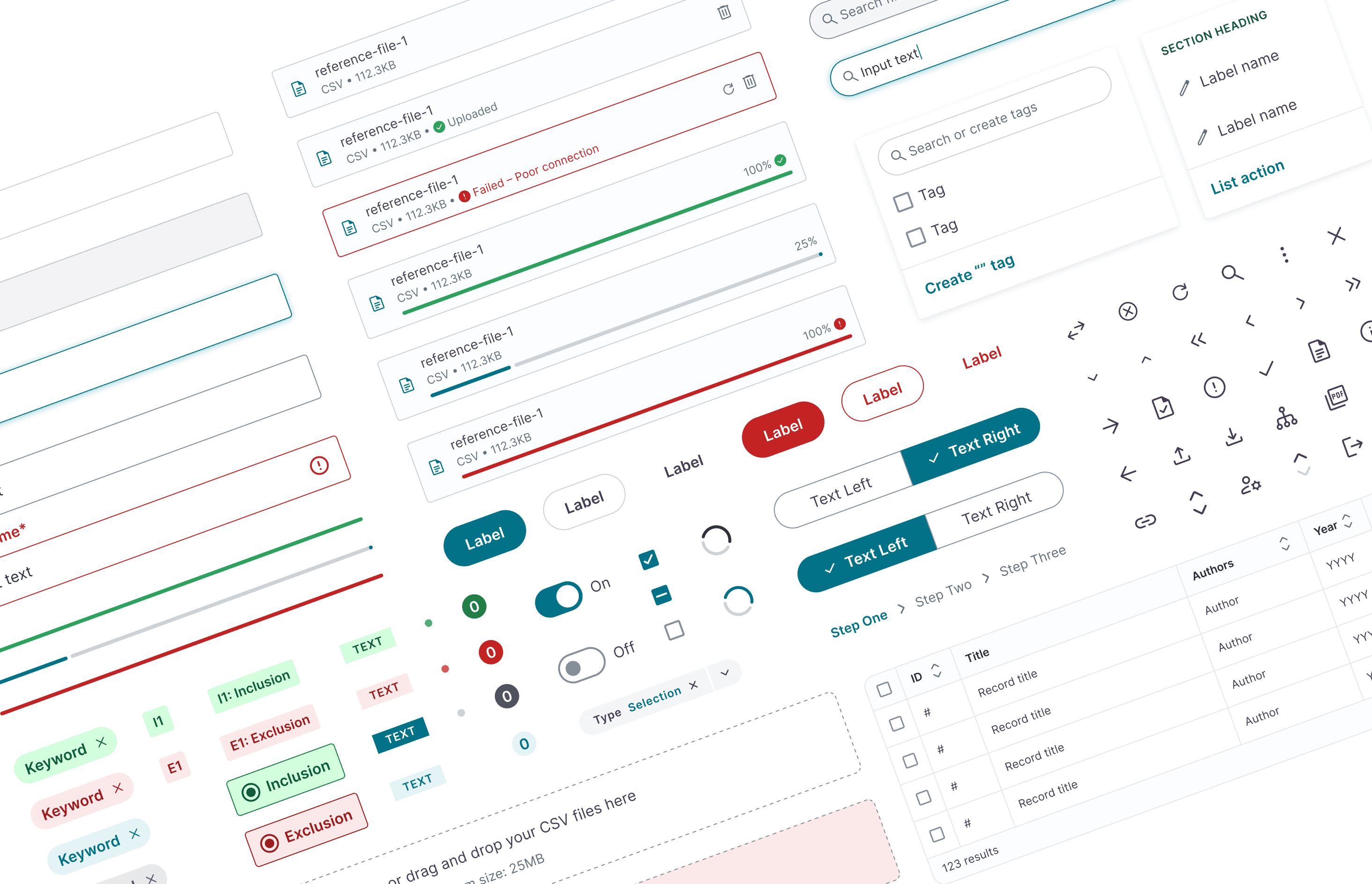
Components
Creating reusable components was essential to designing the app efficiently and accurately, ensuring a consistent visual language across every page.
OUTCOME